


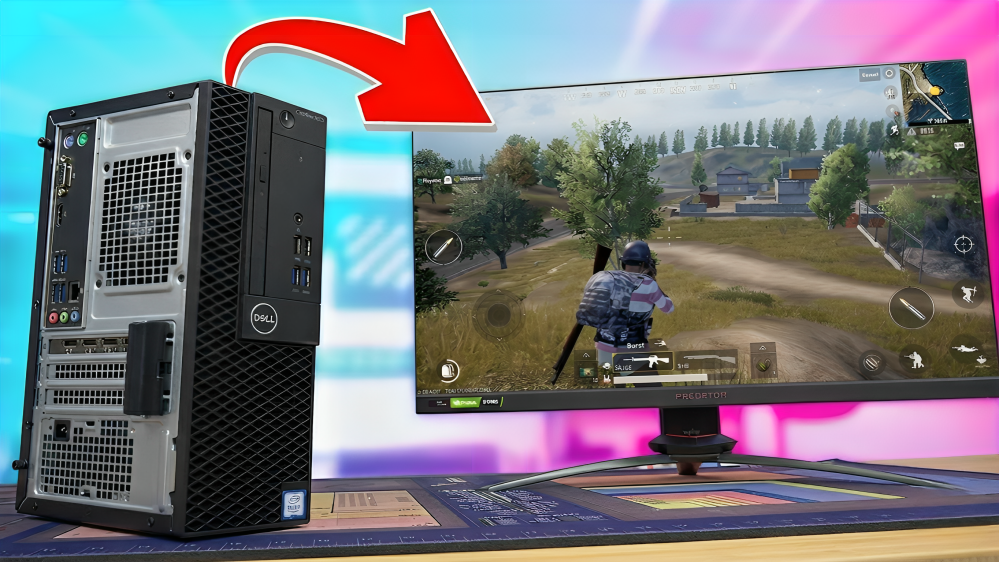

🎮 NO EMULATOR — COMPLETE GUIDE
Method
ANDROID OS
RAM
1GB+
USB
REQUIRED
Cost
FREE
Difficulty
EASY
🎮 Gaming Guide · Android OS · USB Boot · No Emulator · Low End PC
FINALLY! RUN PUBG MOBILE & FREE FIRE ON PC
— WITHOUT EMULATOR!
Old ya Low-End PC pe bhi PUBG Mobile aur Free Fire chalao — bina kisi emulator ke! Sirf ek USB drive aur ISO file chahiye!
✅ No Emulator Needed
🎮 PUBG + Free Fire Both
⚡ 1GB RAM Pe Bhi Chalta
💾 USB Drive Method
🆓 Completely Free
📥 REQUIRED FILES — DOWNLOAD KARO
✅ Teeno cheezein download karo pehle — ISO file, game APKs aur Rufus. Phir guide follow karo!
📋 COMPLETE STEP-BY-STEP GUIDE
⚠️ Pehle zaruri cheezein ready karo: Ek pen drive (8GB+), Rufus software, aur DarkMatter ISO file. System mein EXT4 partition bhi banana hoga!
1
PARTITION BANAO — EXT4 FORMATPehle apne PC mein ek EXT4 format ka partition banao. Koi bhi partition tool use kar sakte ho — GParted ya built-in Windows Disk Management. Ye partition Android OS ke liye hoga.
2
RUFUS SE BOOTABLE PEN DRIVE BANAOPen drive plug karo. Rufus open karo aur DarkMatter Exo ISO file drag karke andar daalo. Bottom wala button dabao — pen drive bootable ban jayegi. Simple hai!
3
PC RESTART KARO — BOOT MENUPC restart karo aur Boot Menu mein jao. Dell pe F12 hai — aapke PC ke hisaab se alag ho sakta hai. Pen drive wala option select karo boot karne ke liye.
4
EXT4 PARTITION SELECT KAROBoot hone ke baad sab partitions dikhengi. Woh EXT4 partition select karo jo Step 1 mein banaya tha. "Do Not Reformat" option zarur select karo — ye important hai!
5
ANDROID OS INSTALL HOGAKoi bhi popup aaye toh Yes dabao. Android OS install shuru hoga — sirf 5-6 minute lagenge. Installation ke baad boot menu aayega jahan Windows ya Android choose kar sakte ho!
6
SETUP CONFIGURE KAROPehli baar setup menu aayega. Zyada options select mat karo — jitna zyada select karoge utna zyada time lagega. Defaults rakhna best hai. Enter dabao aur Android OS ready ho jayega!
7
FREE FIRE INSTALL KAROAPK file install karo. Key Mapper open karo aur Free Fire select karo. Purana Key Mapper outdated hoga — uski jagah Panda Key Mapper use karo better experience ke liye. Keys apni marzi se set karo!
8
PUBG MOBILE INSTALL KAROPUBG APK install karo. First launch pe ~1 GB update download hoga — thoda wait karo. Important: PUBG mein emulator detection hai — pehle secondary account pe test karo safe rehne ke liye!
9
GRAPHICS SETTINGS OPTIMIZE KARODono games mein graphics Low/Very Low rakhna. Background resources pause karo. Free Fire mein Custom HUD setting se keyboard mode switch karo. PUBG mein 30-45 FPS expect karo — smooth enough!
💻 SYSTEM REQUIREMENTS
RAM (Free Fire)
1 GB Minimum
RAM (PUBG)
4 GB Recommended
USB Drive
8 GB Minimum
Storage
EXT4 Partition Needed
Internet
For Game Updates
OS
Windows 7/8/10/11
💡 Pro Tip: Agar sirf 1GB RAM hai aur gaming chahte ho — Free Fire smoothly chalta hai! PUBG ke liye 4GB best hai.
📺 VIDEO TUTORIAL — DEKHO AUR SAMJHO
🔍 Related Searches
⚠️ Disclaimer: Tech Decode is not affiliated with PUBG Corporation or Garena Free Fire. This guide is for educational purposes only. Always test PUBG on a secondary account due to emulator detection. Download and use at your own discretion.


0 Comments