


.jpg)
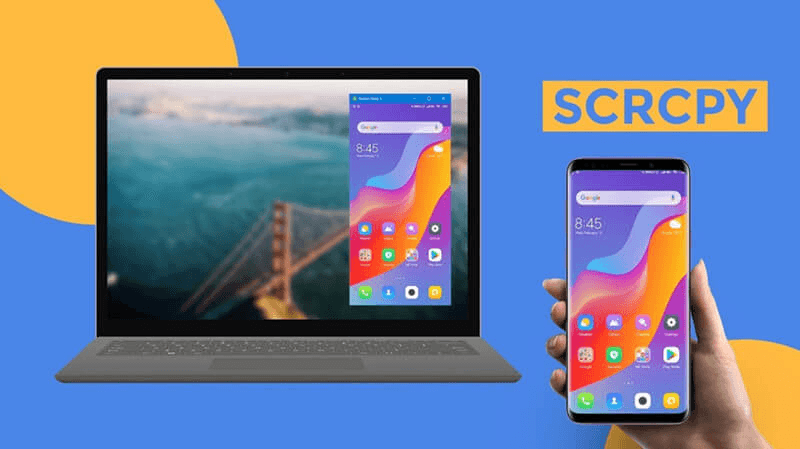
📱 ANDROID DESKTOP ON PC — FREE
Tool
SCRCPY
Resolution
1920×1080
Cable
USB ONLY
Cost
FREE
Type
OPEN SOURCE
📱 Android Desktop · SCRCPY · No Emulator · No HDMI · Free · 1080p
HOW TO USE ANDROID ON PC
SCRCPY Method — Full Android Desktop at 1920×1080
Turn your Android phone into a complete Android desktop on your PC — full 1080p resolution, resizable app windows, no HDMI cable, no emulator, completely free! Use all your Android apps and games on a big screen.
✅ 100% Free
📱 Any Android Phone
🖥️ Full Desktop Mode
📺 1920×1080 FHD
🚫 No Emulator
🔓 Open Source
⚡ WHAT YOU CAN DO WITH SCRCPY DESKTOP MODE
Full Desktop UI
Complete Android desktop experience — taskbar, windows, apps
1920×1080 FHD
Full HD resolution — not just screen mirroring
Resizable Windows
Open and resize any app freely — like a real desktop
Play Games
Run Android games on big screen — no emulator needed
Browse Web
Browse full-screen websites using your Android browser
Your Own Account
All your apps, data and accounts — no setup required
No HDMI Needed
Simple USB data cable — no expensive adapter
Completely Free
Open source — no subscription, no watermark, no limits
📥 DOWNLOAD REQUIRED FILES
✅ Download scrcpy first, then follow the complete step-by-step guide below. Also install Samsung USB drivers for best compatibility!
🛠️ COMPLETE STEP-BY-STEP GUIDE
⚠️ Requirements: Android phone, USB data cable, Windows PC/laptop. Works on Samsung, Xiaomi, Realme, OnePlus and all Android phones!
1
DOWNLOAD & EXTRACT SCRCPY
- Go to GitHub → search "scrcpy" → open first result
- On the right side under Releases → click latest release
- Scroll down to Assets → download scrcpy-win64.zip
- Right-click the ZIP → Extract All → extract to a folder
2
INSTALL SAMSUNG USB DRIVERS
Even if you are not using Samsung, install these drivers for best USB compatibility:
- Search "Samsung USB Driver" → download from official Samsung page
- Run the installer → Next → Next → Install → Finish
- Restart PC if asked
3
ENABLE DEVELOPER OPTIONS ON PHONE
- Open Settings → About Phone → Software Information
- Find Build Number → tap it 7 times
- Enter your PIN if asked
- Developer Mode is now enabled! ✅
4
ENABLE USB DEBUGGING
- Go to Settings → Developer Options
- Turn on USB Debugging ✅
- If grayed out: go to Privacy & Security → Auto Blocker → Disable it → retry
5
ENABLE DESKTOP DEVELOPER SETTINGS
In Developer Options, find and enable these three settings:
- ✅ Force activities to be resizable
- ✅ Multi-window for all applications
- ✅ Enable freeform windows on secondary displays
6
CONNECT PHONE TO PC VIA USB
- Connect phone to PC with a USB data cable (not charging-only cable)
- Swipe down notification panel → tap USB for charging
- Change to File Transfer mode
- On phone — tap Allow when USB Debugging popup appears
7
LAUNCH SCRCPY
- Open the extracted scrcpy folder
- Right-click scrcpy.exe → Run as Administrator
- Your phone screen will appear on PC — this is normal screen mirror mode
8
LAUNCH ANDROID DESKTOP MODE
This is the key step for full desktop experience:
- In scrcpy folder → find Open a Terminal Here.bat
- Right-click → Run as Administrator
- In the terminal window, paste this command:
scrcpy --new-display=1920x1080/200
- Press Enter
- A new desktop-style Android window will open at 1920×1080!
- If icons appear too large — lower DPI from 200 to 160
- If too small — increase DPI to 240
💻 REQUIREMENTS
Phone OS
Android 5.0+
PC OS
Windows 7/8/10/11
Cable
USB Data Cable
PC RAM
Any (Very Lightweight)
scrcpy Size
~20 MB Only
Cost
Completely Free
ℹ️ TOOL INFORMATION
📺 VIDEO TUTORIAL — WATCH & FOLLOW
🔍 Related Searches
⚠️ Disclaimer: Tech Decode is not affiliated with Genymobile or scrcpy. scrcpy is a free open-source project available on GitHub. This guide is for educational purposes only. USB Debugging should only be enabled when needed.


.jpg&description=How to Use Android on PC (SCRCPY METHOD))
0 Comments